
Proxy vs Reverse Proxy
What is a Proxy?
A proxy is a middleman between you and the internet.
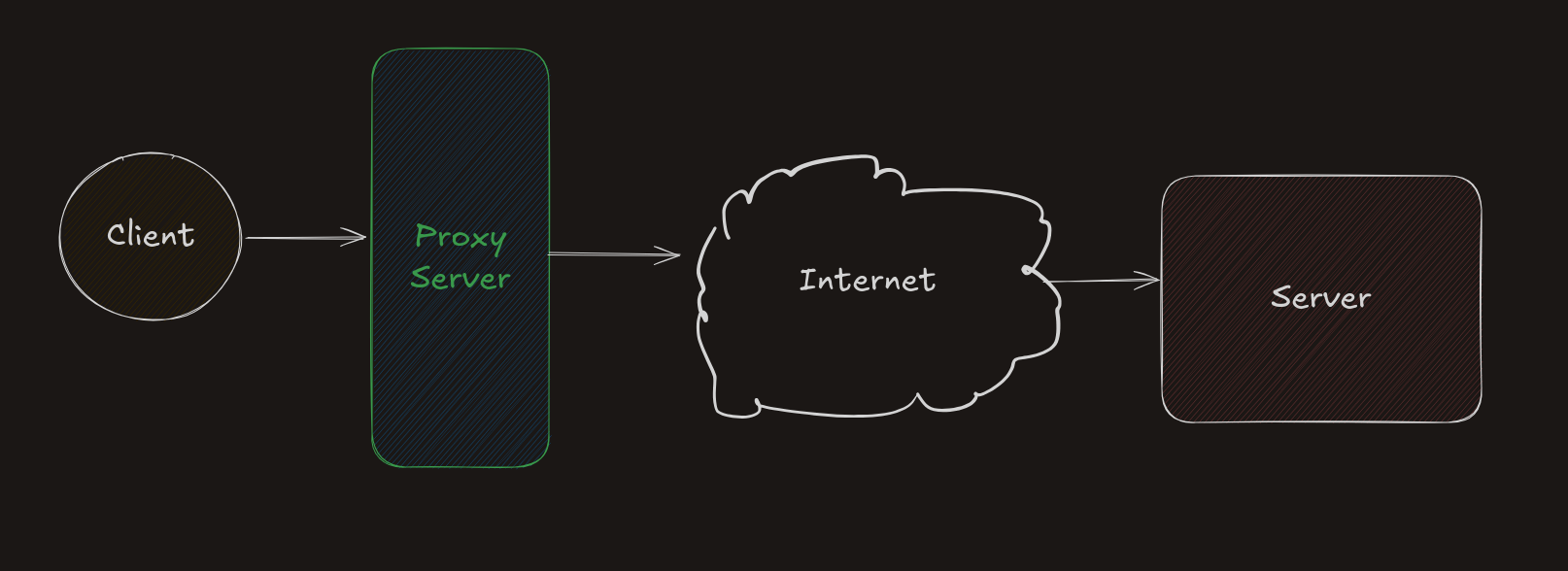
When you try to open a website, your request normally goes directly to the server. But if you use a proxy, your request goes like this:
You → Proxy → Internet → Server
The server only sees the proxy, not you.
Simple example
Think of a proxy like asking a friend to buy something for you.
The shopkeeper only sees your friend. Your identity stays hidden.
Why do we use a proxy?
- It hides your IP address (basic anonymity)
- It can control what websites you can visit
- It can block websites (used by ISPs or organizations)
- It can help access restricted content
- It can cache data (faster repeated access)
Real world example
Sometimes a website is blocked in a country.
For example, TikTok is banned in India.
If your internet provider blocks it using a proxy, you cannot access it directly.
But if you connect through another proxy in a different country, you may be able to access it.
What is a Reverse Proxy?
A reverse proxy is also a middleman, but it works on the server side.
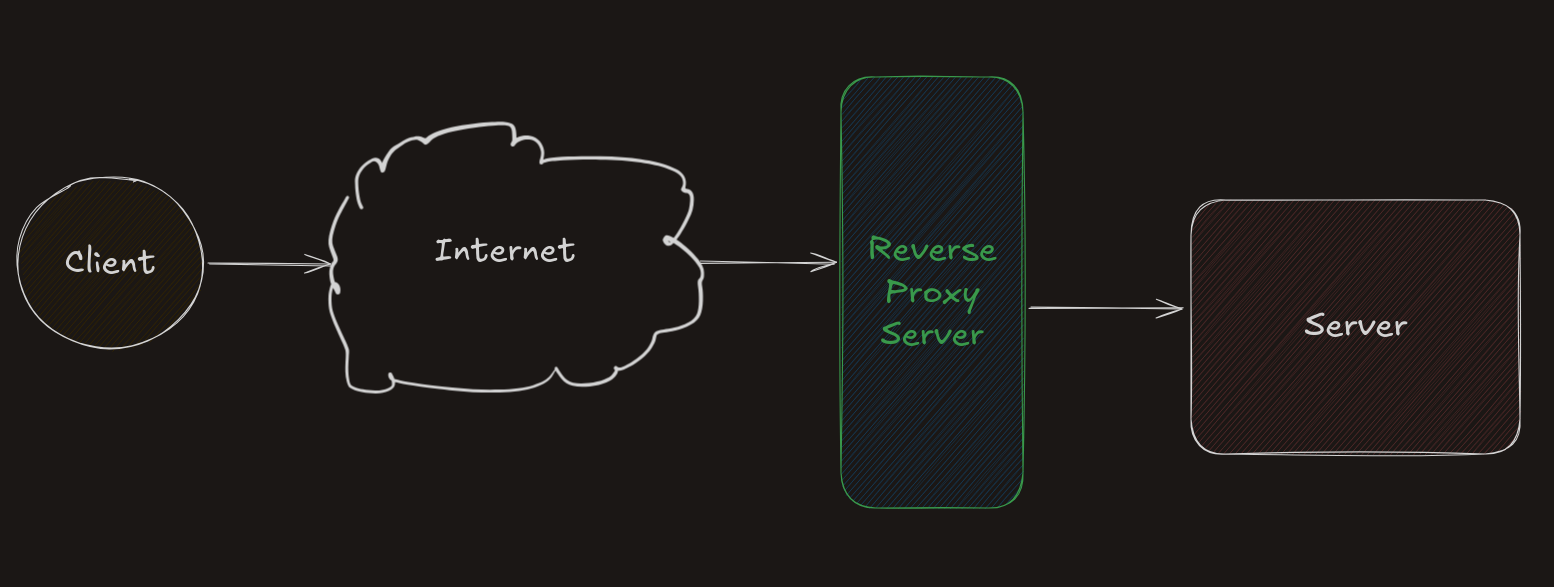
Instead of hiding the client, it hides the server.
The request flow looks like this:
Client → Internet → Reverse Proxy → Server
Simple example
Think of a receptionist in an office.
You go to the receptionist. You don’t know which employee will handle your request.
The receptionist sends your request to the right person.
Why do we use a reverse proxy?
- It hides server details
- It routes requests to the correct server
- It helps in load balancing
- It caches responses
- It provides basic protection against traffic spikes
Example tool
Nginx is a popular reverse proxy.
It can:
- Distribute traffic
- Cache responses
- Use load balancing algorithms
One problem
A reverse proxy can become a single point of failure.
If it goes down, everything behind it stops working.
Proxy vs VPN
At first, both seem similar. Both can hide your IP.
But there is a big difference.
Proxy
- Just forwards your request
- Hides your IP
- Does NOT encrypt your data
VPN
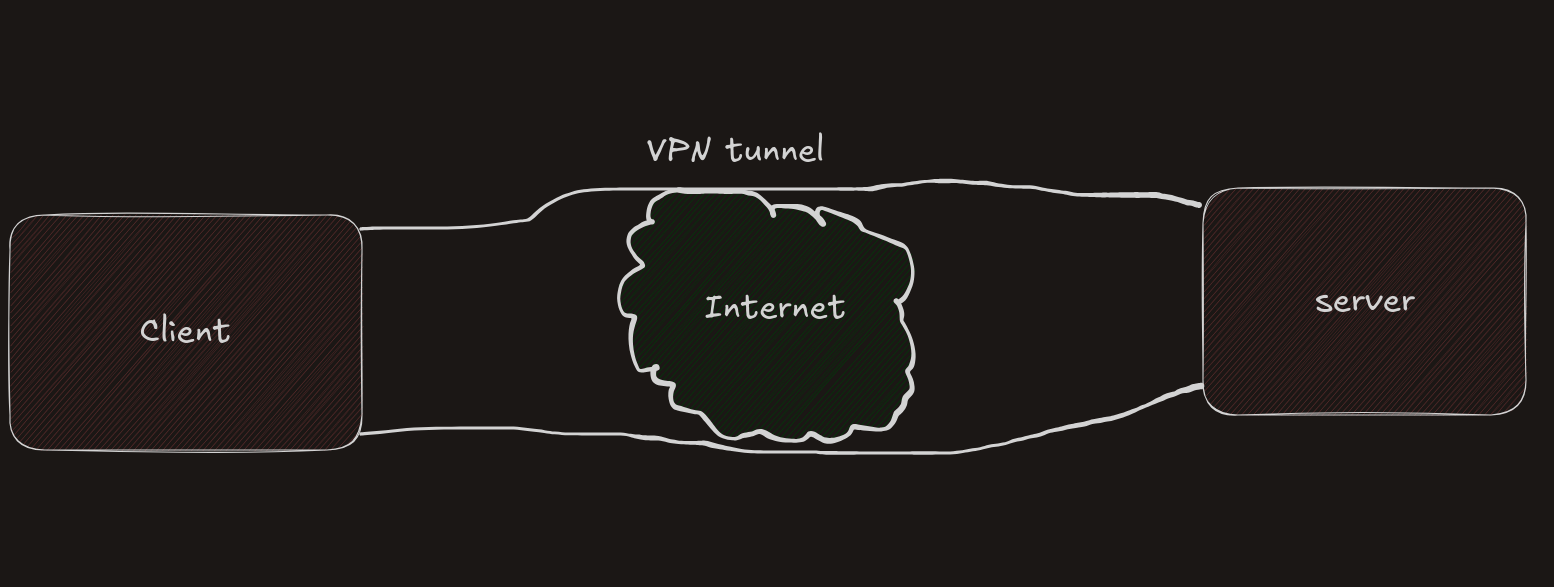
A VPN creates a secure tunnel between you and the server.
Simple example
Proxy is like sending a letter through a friend.
VPN is like sending a locked box that only the receiver can open.
What VPN does
- Encrypts your data
- Hides your IP
- Makes your connection secure
So, VPN is safer than a proxy.
When to use what?
- Use proxy for simple tasks (like testing, quick access)
- Use VPN for security and privacy
Reverse Proxy vs Load Balancer
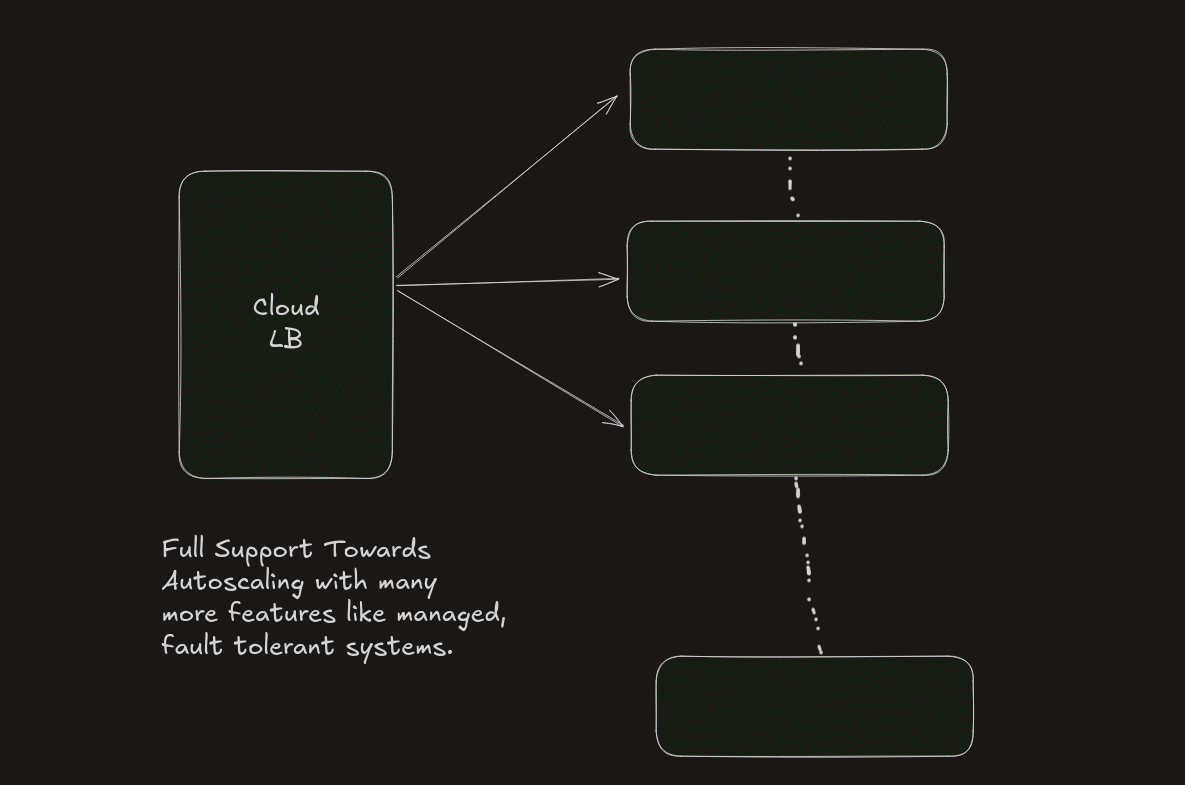
A load balancer distributes traffic across multiple servers.
Simple example
Imagine a restaurant with many chefs.
A manager sends customers to different chefs so no one gets overloaded.
That manager is a load balancer.
Reverse proxy vs Load balancer
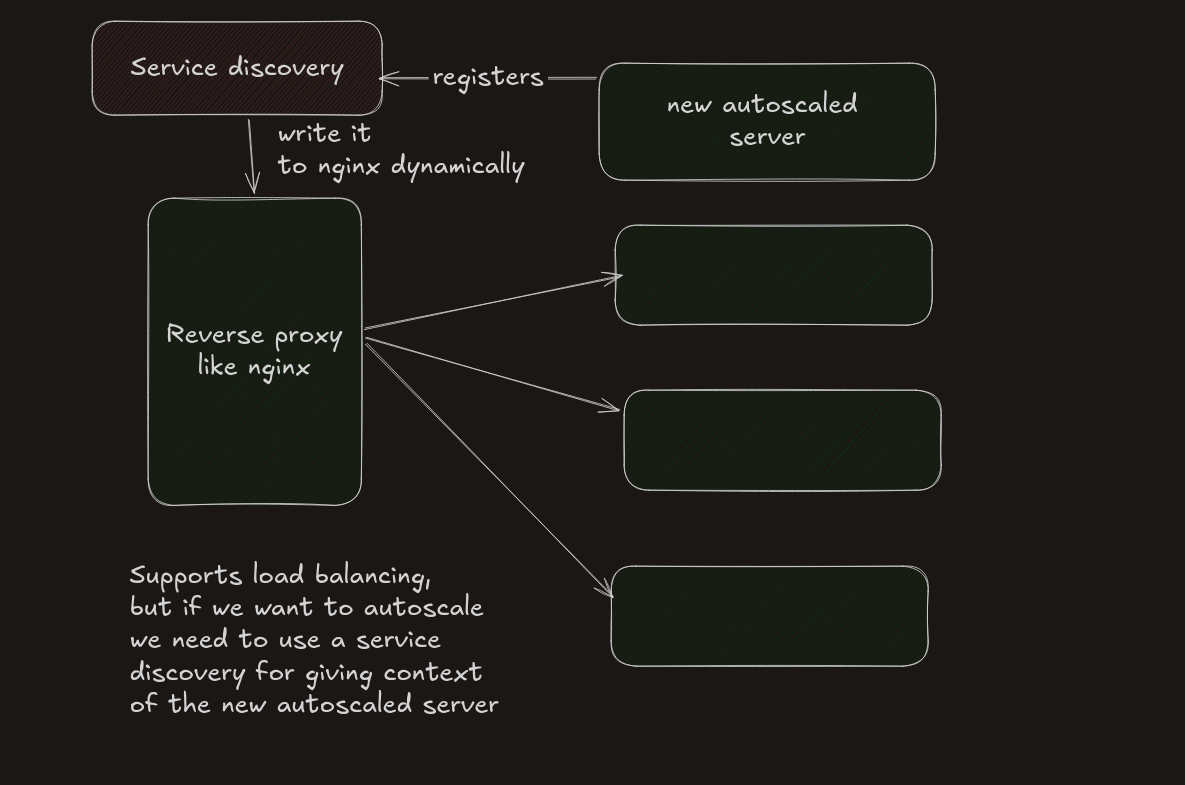
A reverse proxy (like Nginx) can also do load balancing.
But there is a difference.
Using Nginx
- Works well for small to medium setups
- You need to manage scaling yourself
- No automatic scaling by default
Cloud Load Balancer
- Automatically distributes traffic
- Handles scaling
- Easier to maintain in large systems
Why big companies use load balancers
- Automatic scaling
- High reliability
- Less manual work
Modern Approach: Kubernetes
Kubernetes makes this easier.
It can:
- Handle scaling automatically
- Manage traffic
- Balance load between services
What is Ingress?
Ingress is a way to manage incoming traffic in Kubernetes.
It often uses Nginx internally.
Simple idea
Kubernetes + Ingress = Reverse proxy + Auto scaling
So you don’t have to manage everything manually.
Final Summary
- Proxy hides the client
- Reverse proxy hides the server
- VPN adds encryption and security
- Load balancer distributes traffic
- Kubernetes automates scaling and routing
Each tool solves a different problem.
Understanding where to use each one is important when building real systems.